

Report A Bug
Sometimes things don't go to plan, or you could have a complex design and need an expert to help you calculate the H1 result.
Logging a bug takes seconds, and connects you directly with our team of experts.
Click the "log a bug" button in the top right corner of your Hone projects page, describe the query you have, and your question goes straight to our team.
Want to show exactly what's going wrong? Attach a screenshot, and we'll see the problem the way you do.
Your report lands with real people, not an AI bot, and they'll reach out as soon as possible to fix the issue or answer your questions.
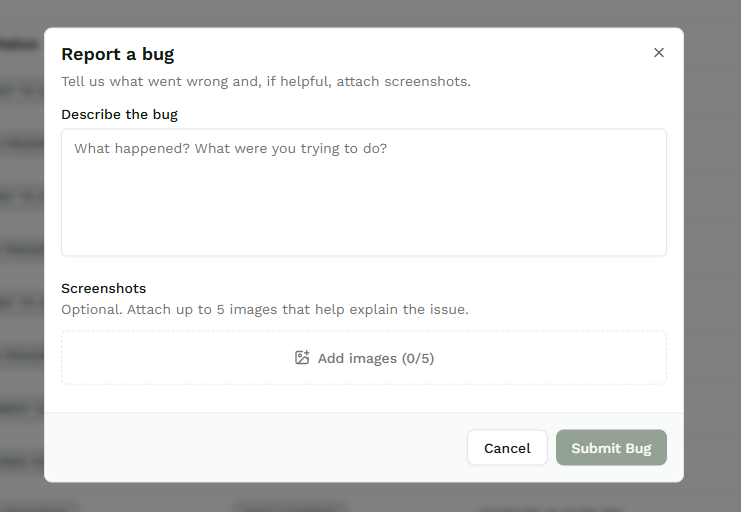
Reporting A Bug
Start by clicking the 'Report a Bug' icon in the top right corner of your Hone projects page.
A pop-up module opens and asks you to describe the bug - the more detail you give, the faster we can help.
Upload any screenshots or photos that show exactly what's going wrong.
Click 'Submit bug' and your report goes straight to our team, who will get back to you as soon as possible.
