Favourites
H1 calculations are repetitive, and you often use the same templates and products. The Favourites feature lets you pin the ones you use most, keeping them at the top of the list so they're always within easy reach.
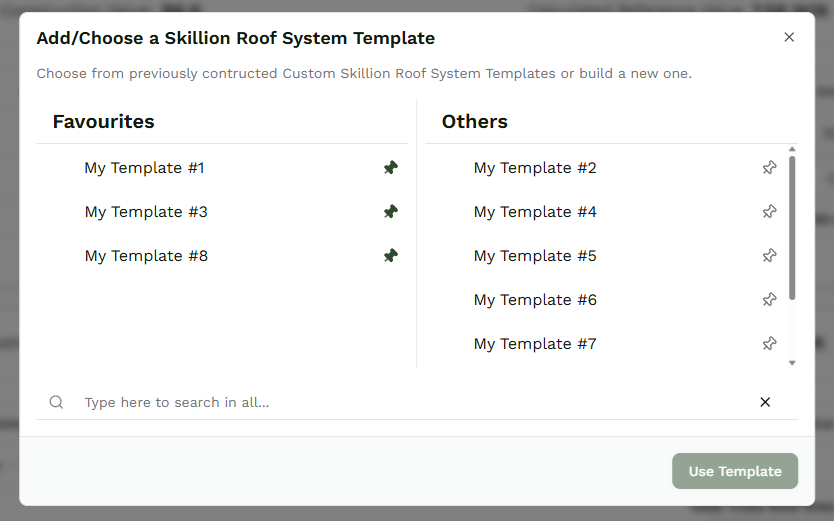
To favourite a template, click Select Template, then use the Pin icon to save it to your favourites. Unpin it at any time to remove it.
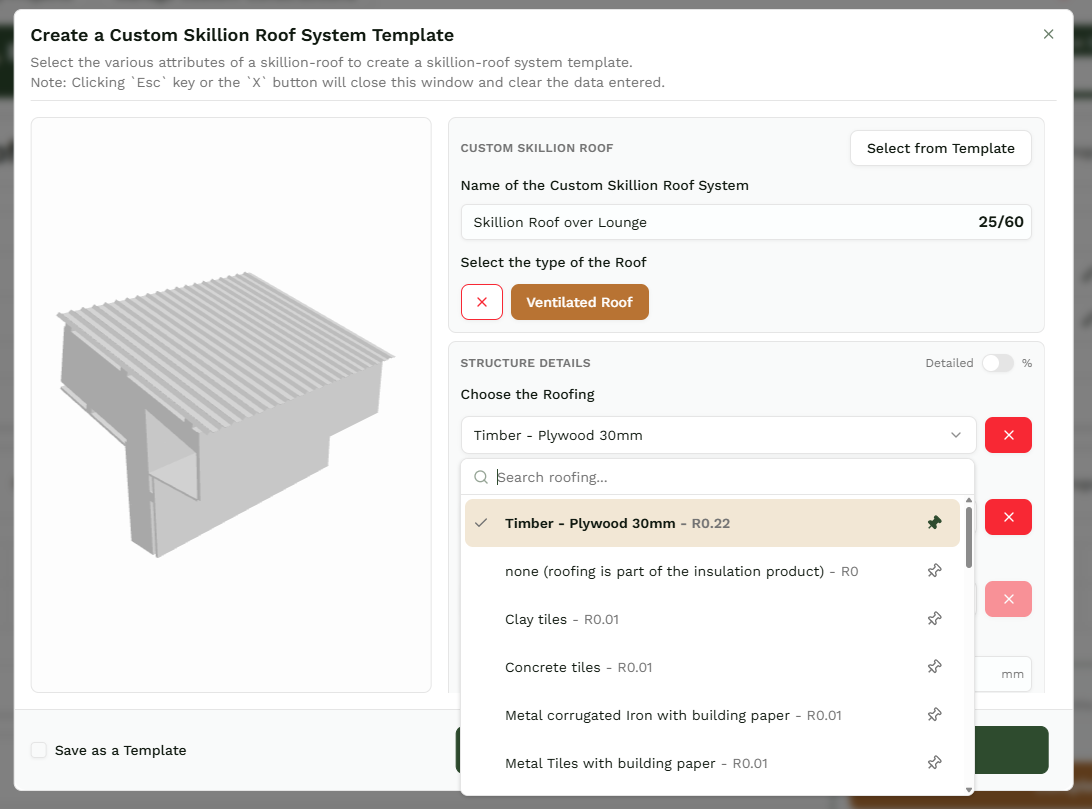
Products work the same way. Pin your most-used products to the top of the dropdown and spend less time scrolling and searching on every new project.
Adding and removing templates from your favourites
Favourite the templates you reach for most, and they move to the top of the list. When you add a new row and open the template selection module, click the Pin icon next to a template name to add it to your favourites. Click the same icon again to remove it. Your favourited templates sit on the left hand side of the module, so you find them at a glance instead of scrolling.
Adding and removing products from your favourites
The product list is long - hundreds of options across every category. Pin the ones you actually use, and you stop hunting for them. Click the Pin icon next to a product name to lock it to the top of the dropdown; click it again to remove it from your favourites. Every new system you build, your key products are right there, no scrolling required.