

Construction System Templates
System Templates provide a ready-made foundation for your H1 calculations, so you don't have to start every project from scratch.
Create your system once and reuse it whenever you need it. Perfect for repeat users and high-volume builders, System Templates save time, reduce errors, and ensure consistency across every H1 calculation.
Creating Templates
A Custom Construction Template is a saved version of a construction system you build once and reuse across designs.
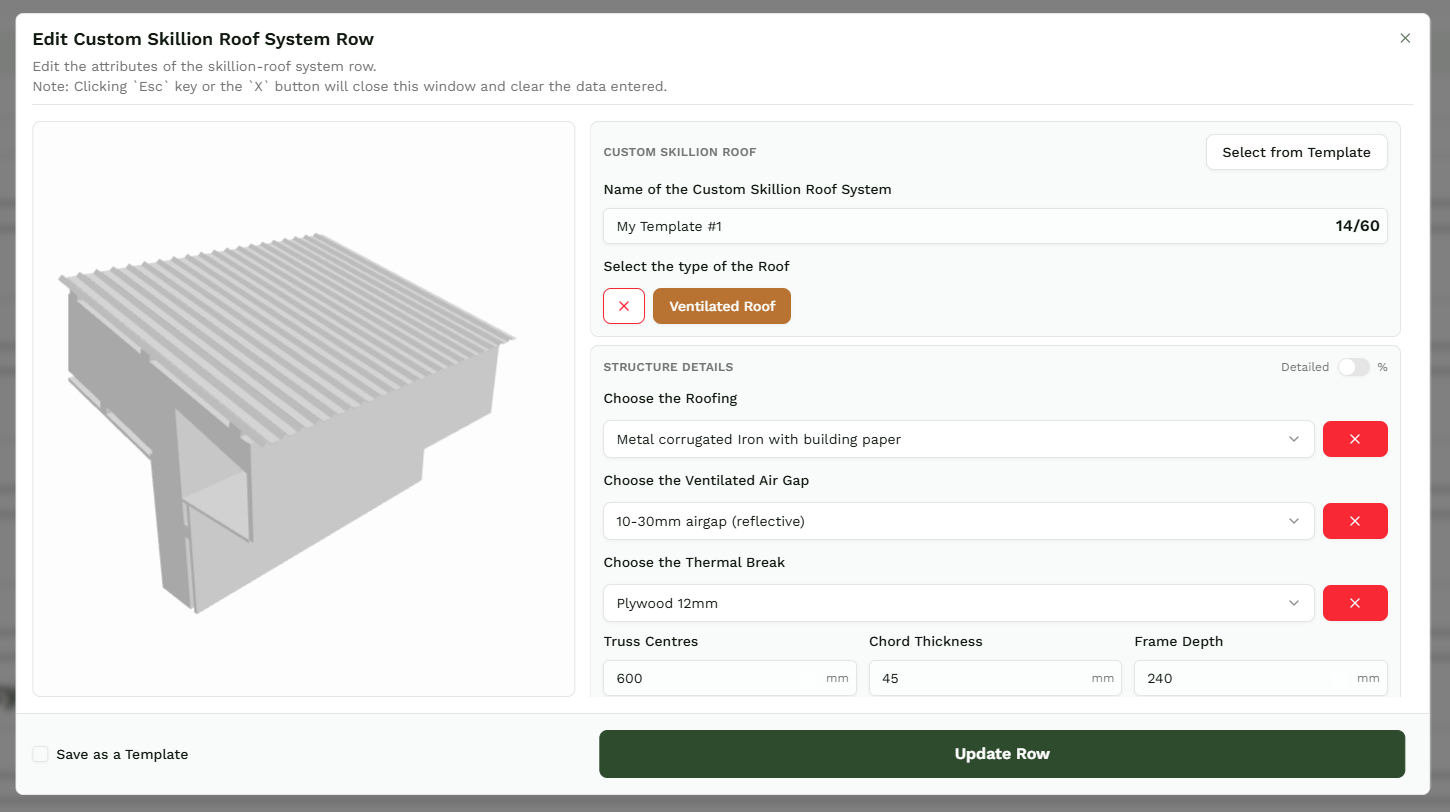
Enter the materials a single time - either on the Custom Construction Templates page, or straight from the calculator page while you're working - then check the 'Save as a template' box, and click 'Finish'.
Selecting Templates
Next project, it's already there. No re-entry. No rebuilding the same wall you built last week.
When using the calculator, click 'Add Row', then select 'Select From Template' in the top right corner of the module. This will open another module that lets you select from all the relevant templates.
Managing Templates
Open the user menu in the top right corner and select Manage Custom Construction Templates. This is where you view, edit, and organise every template on your account.
On the Manage page, click the down arrow to see every template you've saved.
Built up a long list? Use the search bar at the top to jump straight to the one you need.
Editing Templates
There are two ways to change a template. The difference matters.
For a one-off change, load the template on your project calculation page and edit it there. Those changes apply to that project only. The saved template stays as it was.
For a permanent change, edit the template on the Manage Custom Construction Templates page instead. That updates the template itself - so every future project starts from the new version.
